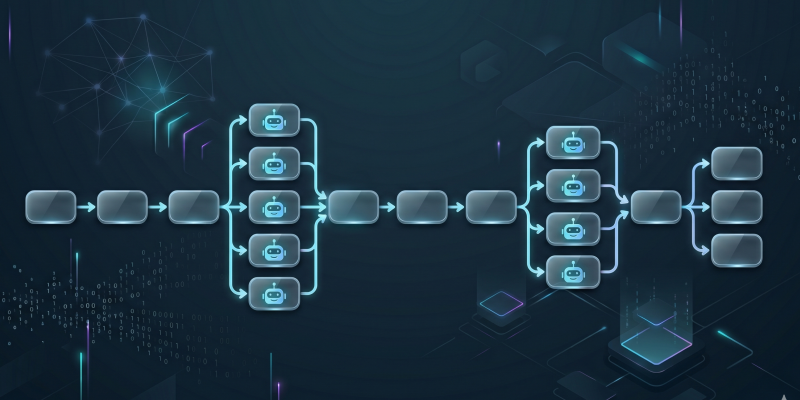
This project started with a simple question: can I use Codex subagents to run a complete data workflow from collection to reporting?
If you want to explore or reproduce it, the full project is here: ipeterfulop/comext-analysis-codex

Not just “ask an agent to generate a chart.” Something closer to what we actually do:
- download multiple years of raw data
- normalize and unpack files
- aggregate the data
- split the report generation into independent chapters
- assemble a presentation
- start a preview server
The result is a COMEXT energy-trade analysis built from Eurostat data. But the interesting part is not the analysis itself.
It’s the workflow.
This ended up being a solid demonstration of subagent orchestration. Not perfect — a few retries and inconsistencies showed up — but good enough to understand where this approach works and where it starts to stretch.
Running this in Codex Desktop
I used the Codex Desktop app to execute the workflow, and this part surprised me more than expected.
The visibility into subagents is much better than it used to be.
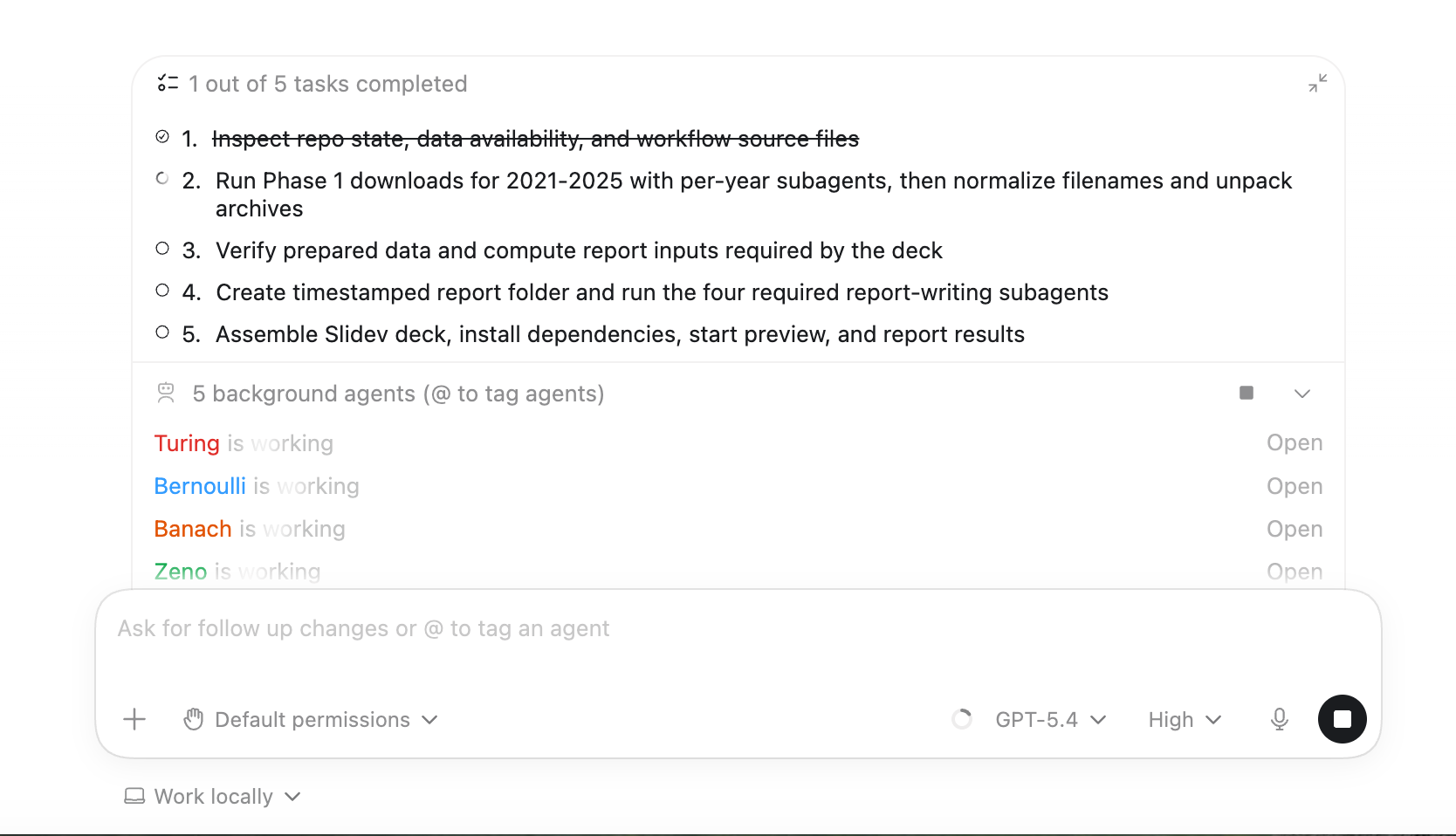
You can see:
- spawned subagents in real time
- which ones are running in parallel
- logs per subagent (not just merged output)
- project files alongside execution
- approval requests highlighted visually
That last one matters more than it sounds. When multiple subagents are running, missing an approval prompt can stall the whole workflow.
Also, having logs separated per subagent made debugging much easier. In earlier runs (CLI-based), it was hard to tell which agent produced which output.
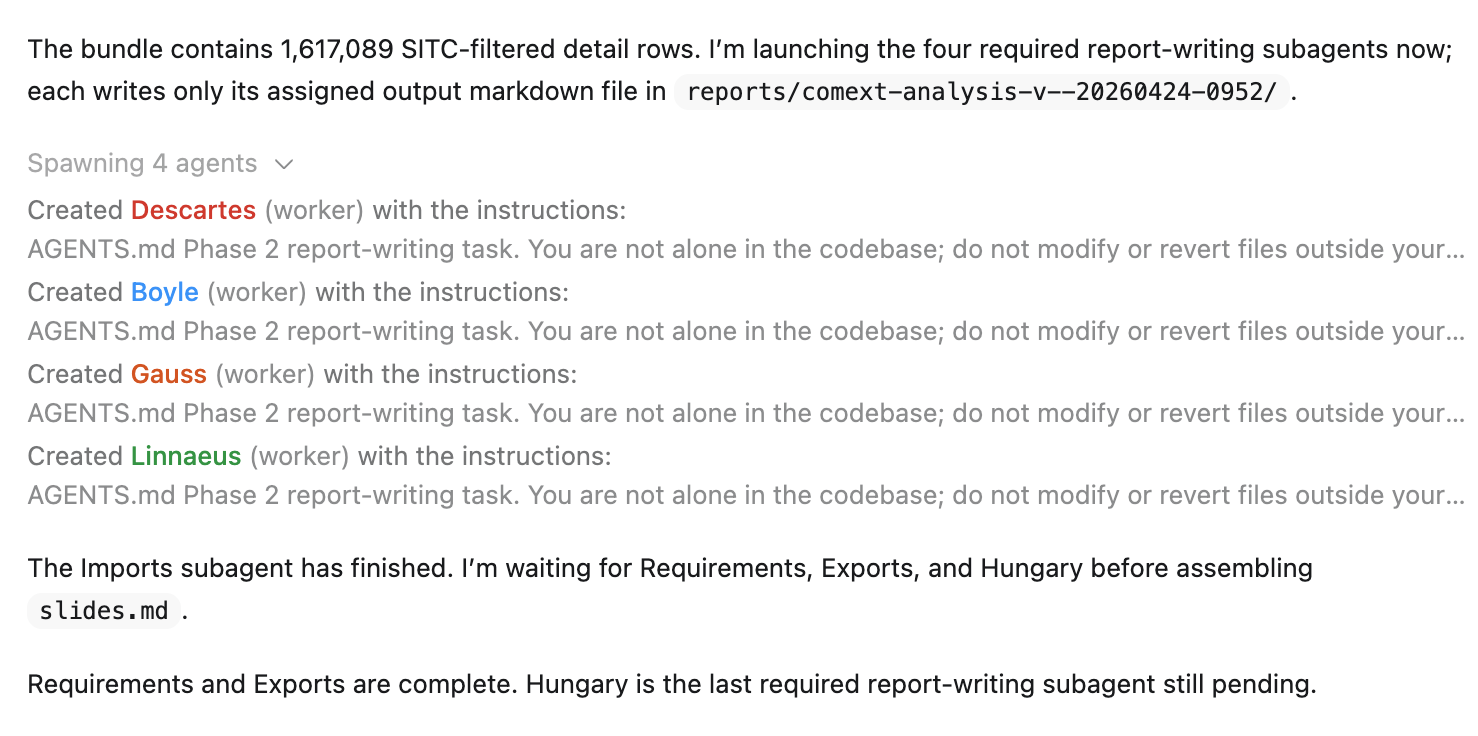
It’s still not perfect — some retries and partial failures are a bit awkward to trace — but it’s a big step forward.
What I wanted to test
The goal was not to produce a high-quality business analysis of European energy trade.
A serious report would need sharper questions and multiple validation loops with domain experts. This project had a different purpose.
I wanted to see if a relatively complex workflow could be made explicit enough that Codex could execute it without constant intervention.
The data domain helped. Eurostat COMEXT data is messy enough to be realistic — monthly archives, large tables, and a few annoying quirks around naming and structure.
The instruction file as the workflow contract
The whole project is driven by an AGENTS.md file.
In practice, this acts as a workflow contract. It defines:
- what needs to happen
- what can run in parallel
- what each subagent owns
- what outputs are expected
Without this, earlier attempts drifted quite a bit. Subagents would start doing “extra helpful” work outside their scope.
With constraints, the behavior became much more predictable.
Phase 1: parallel data collection
The dataset covers five years (2021–2025), with 12 monthly archives per year.
The workflow launches one subagent per year.
Each subagent:
- downloads its assigned year
- reports success or failure
- does nothing else
That isolation turned out to be important. In an earlier version, subagents stepped on each other’s outputs.
Retries helped, but not perfectly. One corrupted archive passed the download step and only failed later during extraction — so failures can still cascade a bit.
Phase 2: parallel report generation
The second phase builds the Slidev presentation.
Four subagents generate four independent sections:
- requirements
- imports
- exports
- Hungary
Splitting by chapter worked well. Each subagent had a clean scope.
Outputs were not perfectly consistent on the first run though — some sections used slightly different wording or structure — so the lead agent had to normalize things before assembling the final deck.
Why I used Slidev
I chose Slidev mostly for practical reasons.
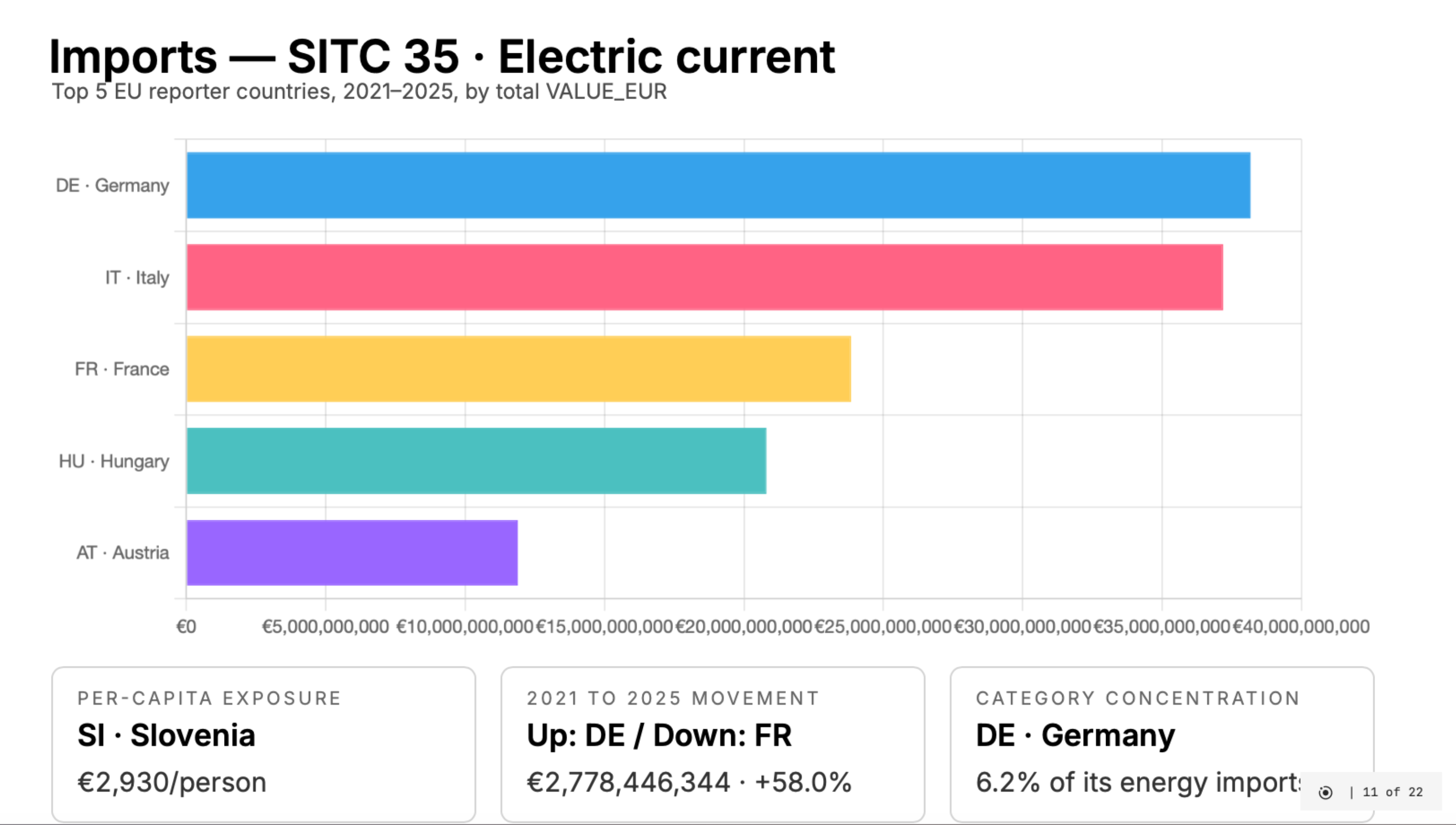
It’s a strong fit for this kind of workflow:
- Markdown-based → easy for agents to generate
- runs in the browser → instant preview
- easy to edit after generation
That said, it’s not “generate and present immediately” yet.
Layouts and styling still need a bit of manual adjustment:
- some slides overflow
- spacing isn’t always right
- charts need tuning to look presentation-ready
So it works well as a base, but still needs a quick polish pass before showing it in a meeting.
What the report contains
The generated deck focuses on COMEXT energy trade categories:
| SITC | Category |
|---|---|
| 32 | Coal, coke and briquettes |
| 33 | Petroleum and related materials |
| 34 | Gas, natural and manufactured |
| 35 | Electric current |
It includes:
- dataset overview
- imports and exports analysis
- a Hungary-focused section
Enough for exploration — not for decision-making.
The important limitation
This project is stronger as a workflow showcase than as an analytical tool.
That tradeoff was intentional for this iteration.
What worked well
Parallelism helped in two places:
- data collection (per year)
- report generation (per chapter)
The lead agent stayed useful:
- starting tasks
- collecting results
- retrying failures
- assembling outputs
That balance felt right in this setup.
What I would improve next
Two directions are clear:
- Better data model (partner, product, monthly granularity)
- Slightly stricter output contracts between subagents
The orchestration itself would likely stay similar.
The broader lesson
What worked here is treating the workflow as a system, not a prompt.
- explicit phases
- bounded subagents
- clear outputs
- a coordinating agent
This won’t apply everywhere, but for this type of pipeline, it held up reasonably well.
My take
This project added something new to how I think about subagents. I started with the usual curiosity around parallel agents, but by the end it felt less like a novelty and more like a useful way to describe how the work should be structured.
- Creating subagents only required clear instructions and a well-defined job for each one in the instruction file.
- Running the same workflow through Codex CLI and the Desktop app gave me enough visibility to follow which subagents were spawned, what they were doing, and where things slowed down.
- Parallel execution made the workflow faster, but it also kept the context cleaner because each subagent worked in isolation.
- It still feels early, but this already feels closer to real engineering work than most prompt-heavy setups I have tried so far.